
- If the pages within the community websites are not working, you must allow local network access.
- Navigate to the community website and click on the settings icon to the left of the URL
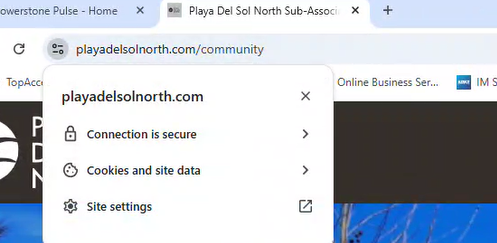
- Select “Site Settings”
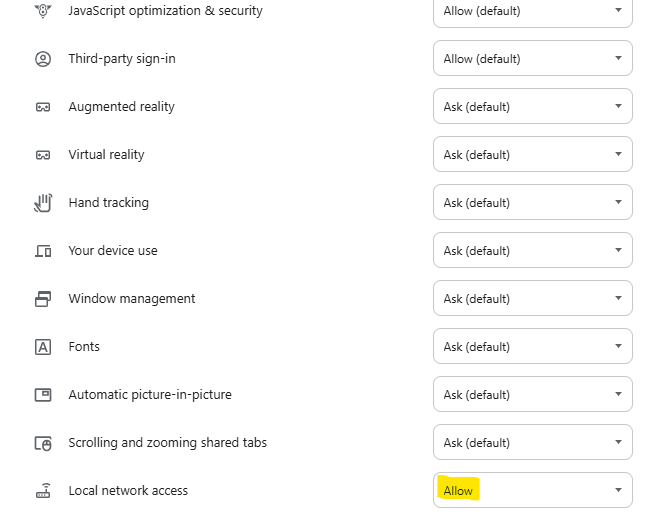
- Scroll all the way to the bottom and look for “Local Network access”
- Change that to “Allow”
- If you are logged into the website, log out and back again.
- Otherwise, log in normally and verify that you can get to the other pages in the community website.
Community site showing blank Print
Created by: Ray Lam
Modified on: Tue, 13 Jan, 2026 at 2:45 PM
Did you find it helpful? Yes No
Send feedbackSorry we couldn't be helpful. Help us improve this article with your feedback.