
- Log into outlook.com
- Click on the Settings cog on the top right

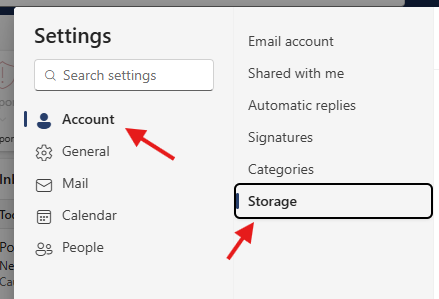
- Go to Account > Storage
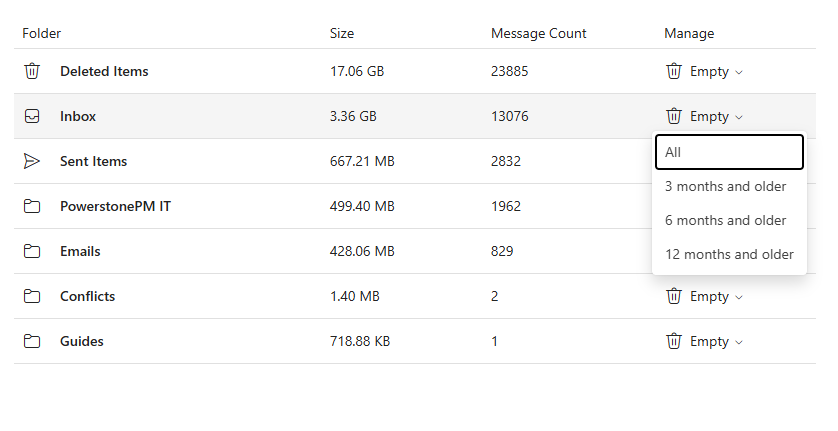
- Click on the trash next to the folder that you want to clear out and choose how old you want the emails to be deleted
Outlook - Deleting old emails Print
Created by: Ray Lam
Modified on: Tue, 24 Mar, 2026 at 12:09 PM
Did you find it helpful? Yes No
Send feedbackSorry we couldn't be helpful. Help us improve this article with your feedback.