
These instructions may not apply to the maintenance office. The employees there used "admin credentials" to get their scan to folder working.
- Create a Scans folder in the C:\ drive if it does not already exist
- Right click the folder and go to properties and share the folder. Note the network path
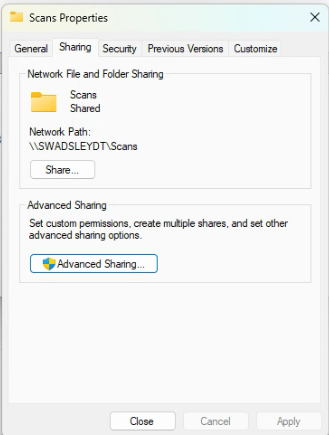
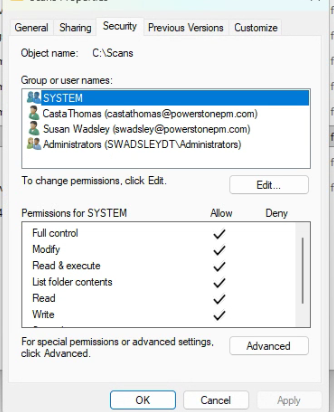
- Verify the user has full control of the folder
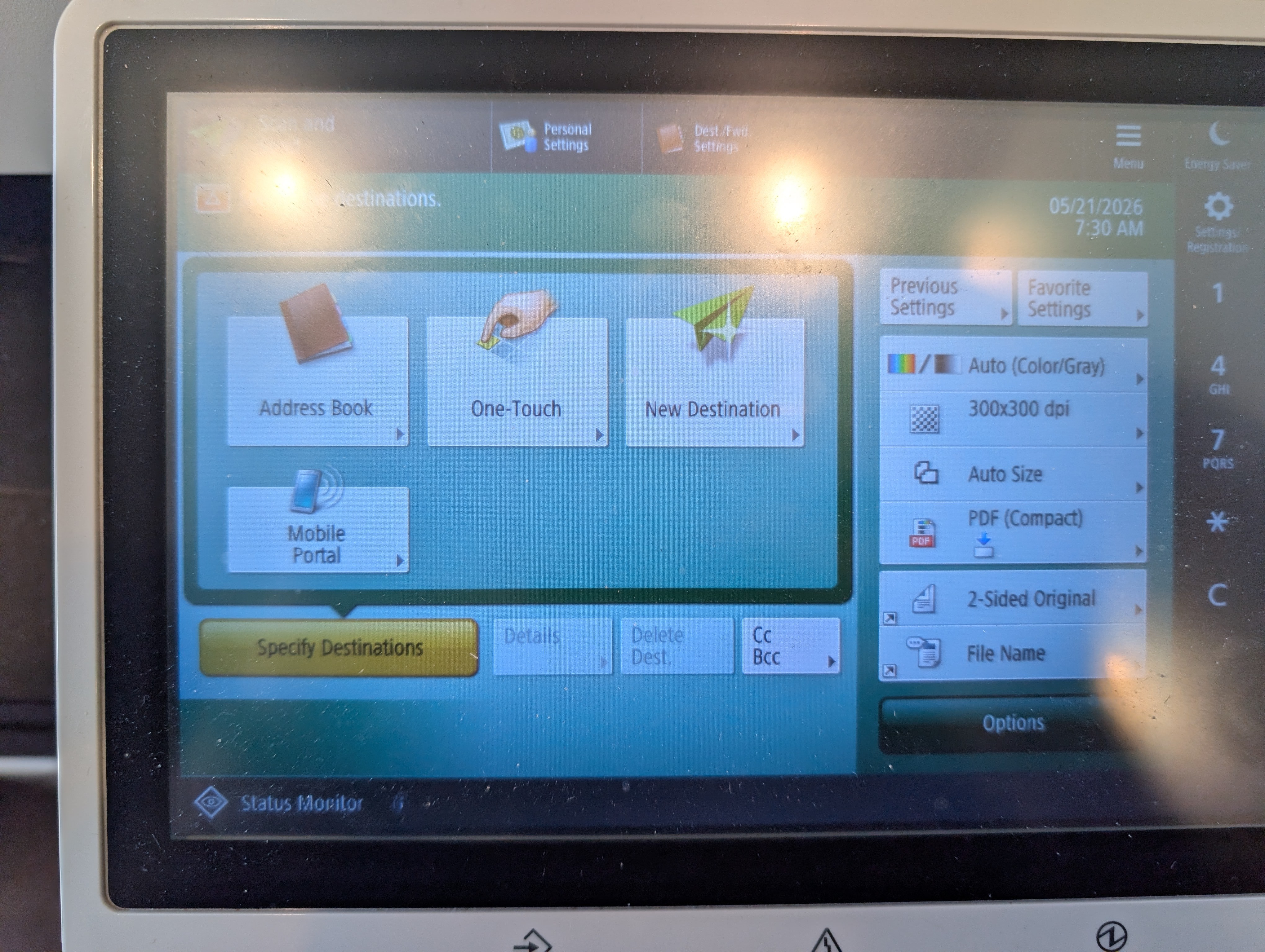
- Go to the copier
- Select Address Book
- Register New Destination or overwrite someone who no longer works there
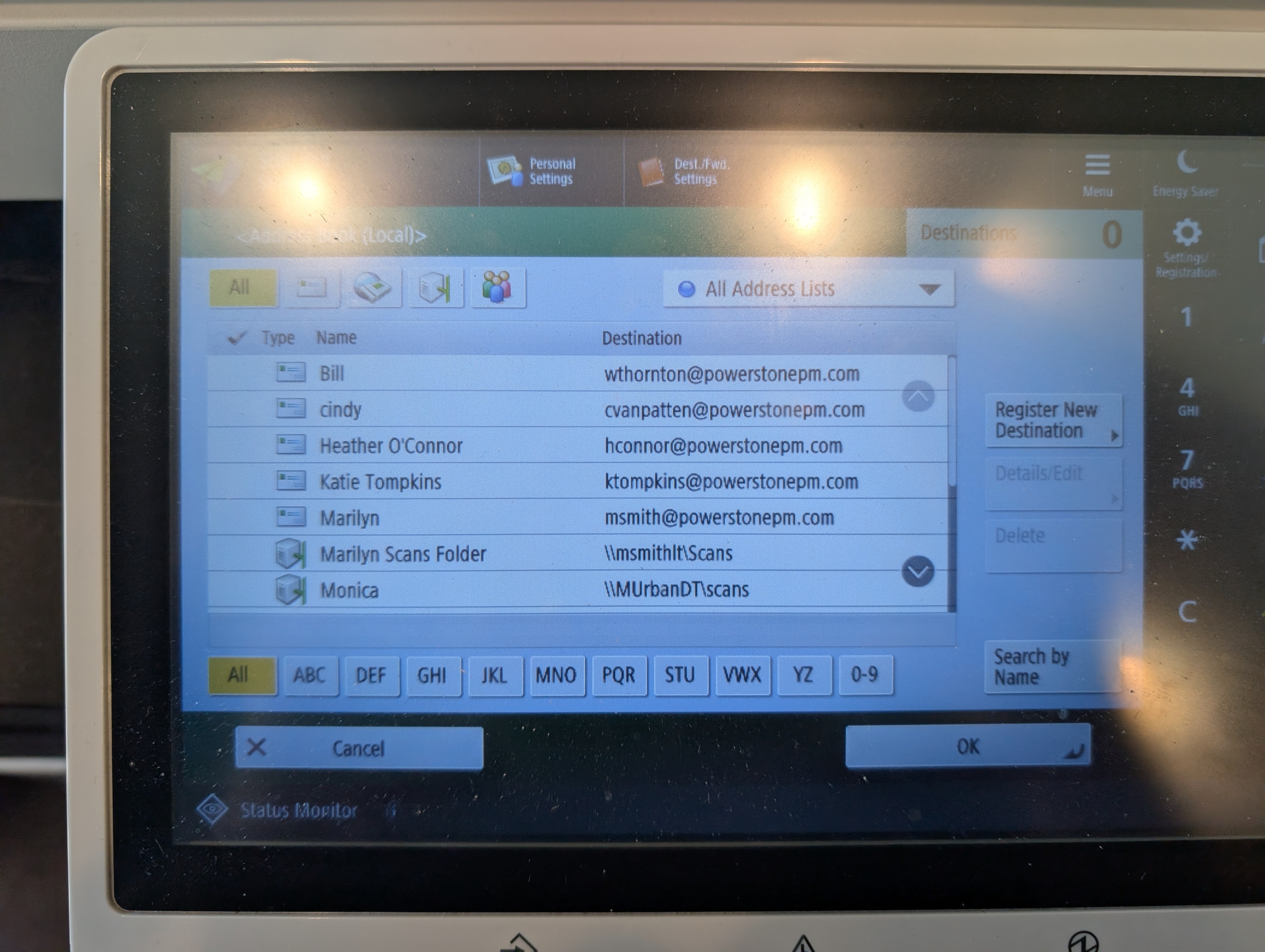
- Name the scan to folder address.
- Copy the network path and put that into the Host Name
- Username and Password will in Keeper under "Kofax Equitrac".
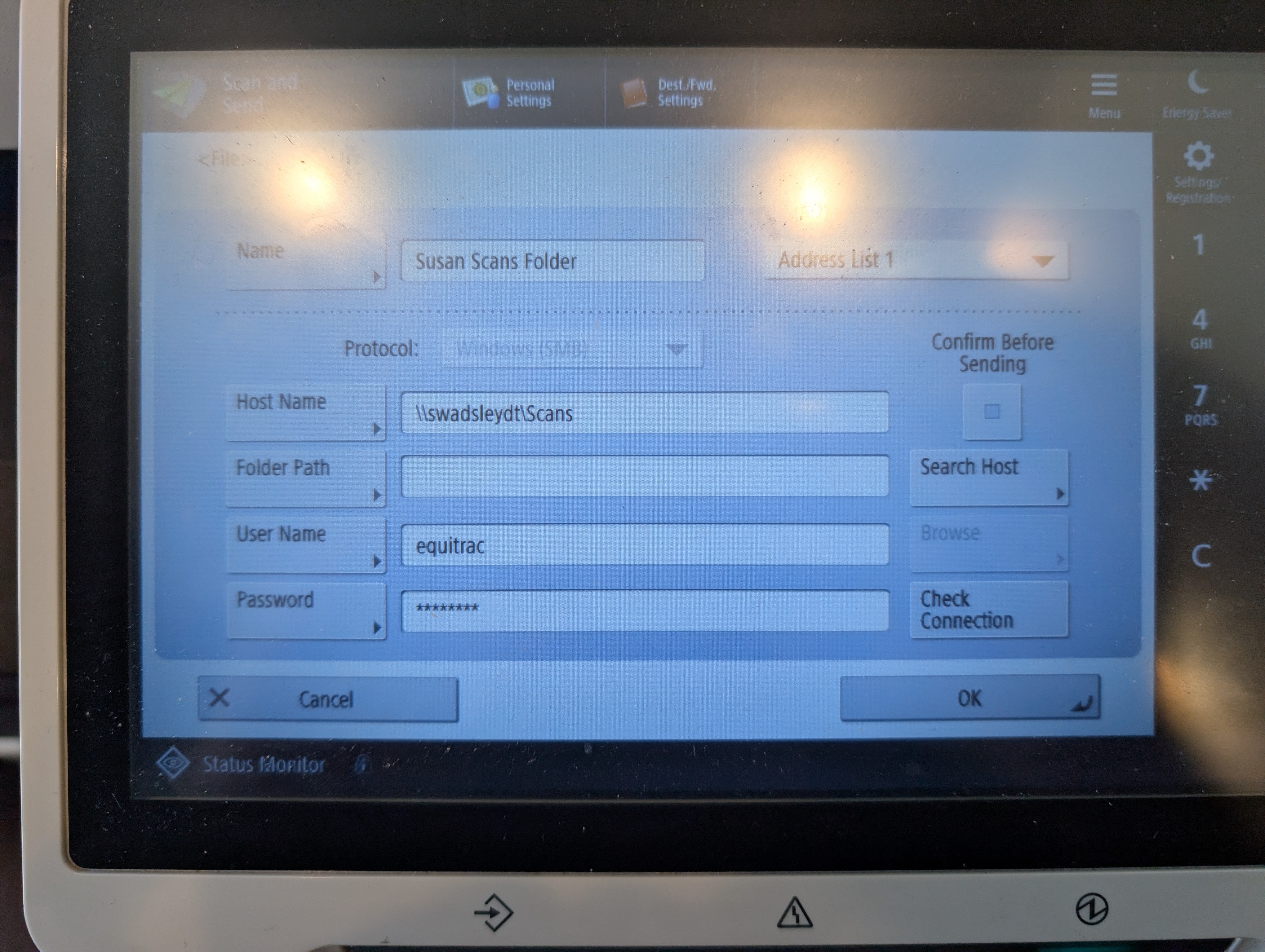
- Check connection and if everything is set up correctly, it will go through.